Patient data
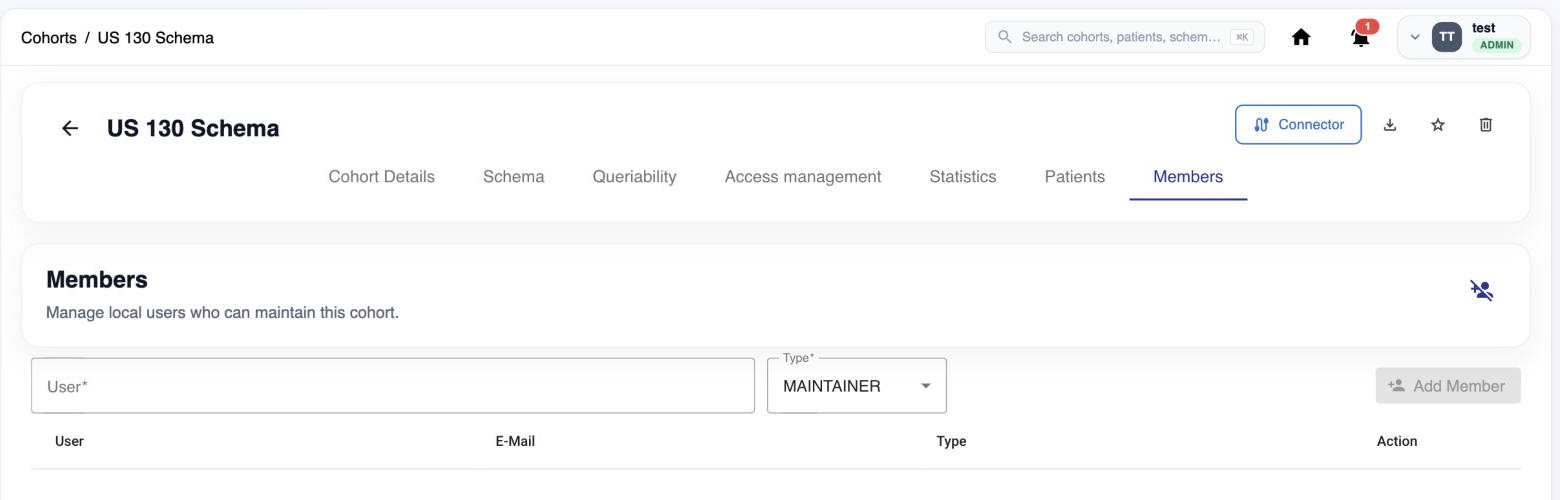
Open a cohort from the Cohorts page to work with its data. The cohort page groups all features into tabs.
| Tab | Purpose |
|---|---|
| Cohort Details | Describe the cohort. |
| Schema | Inspect the fields the cohort can hold. |
| Queriability | Set how each field can be queried. |
| Access management | Set who may query or analyze the cohort. |
| Statistics | Explore the stored data. |
| Patients | View and edit records. |
| Members | Set which local users maintain the cohort. |
The header provides the cohort actions:
| Action | Effect |
|---|---|
| Connector | Opens the cohort's connectors. |
| Edit | Edits the cohort details. Shown on the Cohort Details tab only. |
| Export | Downloads the cohort data after you configure the export. |
| Star | Adds the cohort to the side navigation of this browser. |
| Delete | Deletes the cohort and its records. |
Cohort Details
Metadata of the cohort: name, description, status, approval date, purpose, citation, copyright, and eligibility criteria. Select Edit to change it.
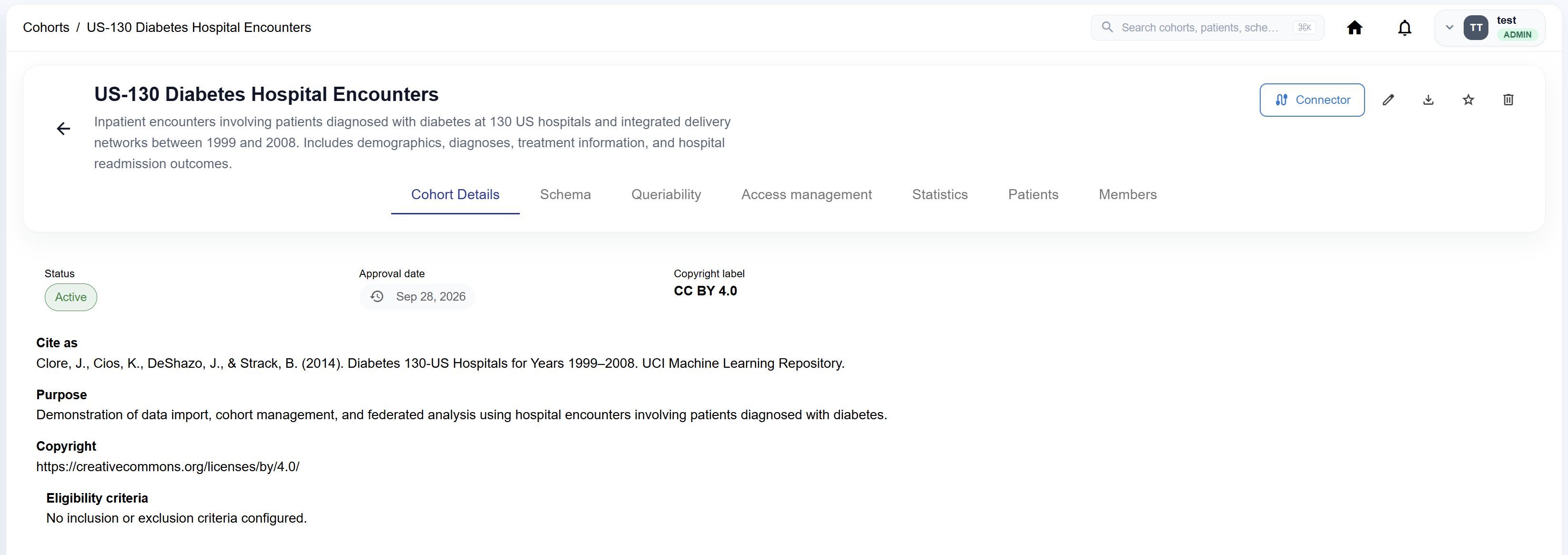
Schema
The fields of the cohort's schema, with name, description, and data type. Expand a group to see its fields. Switch between table and tree view. The eye icon opens a field's details. The schema is read-only.
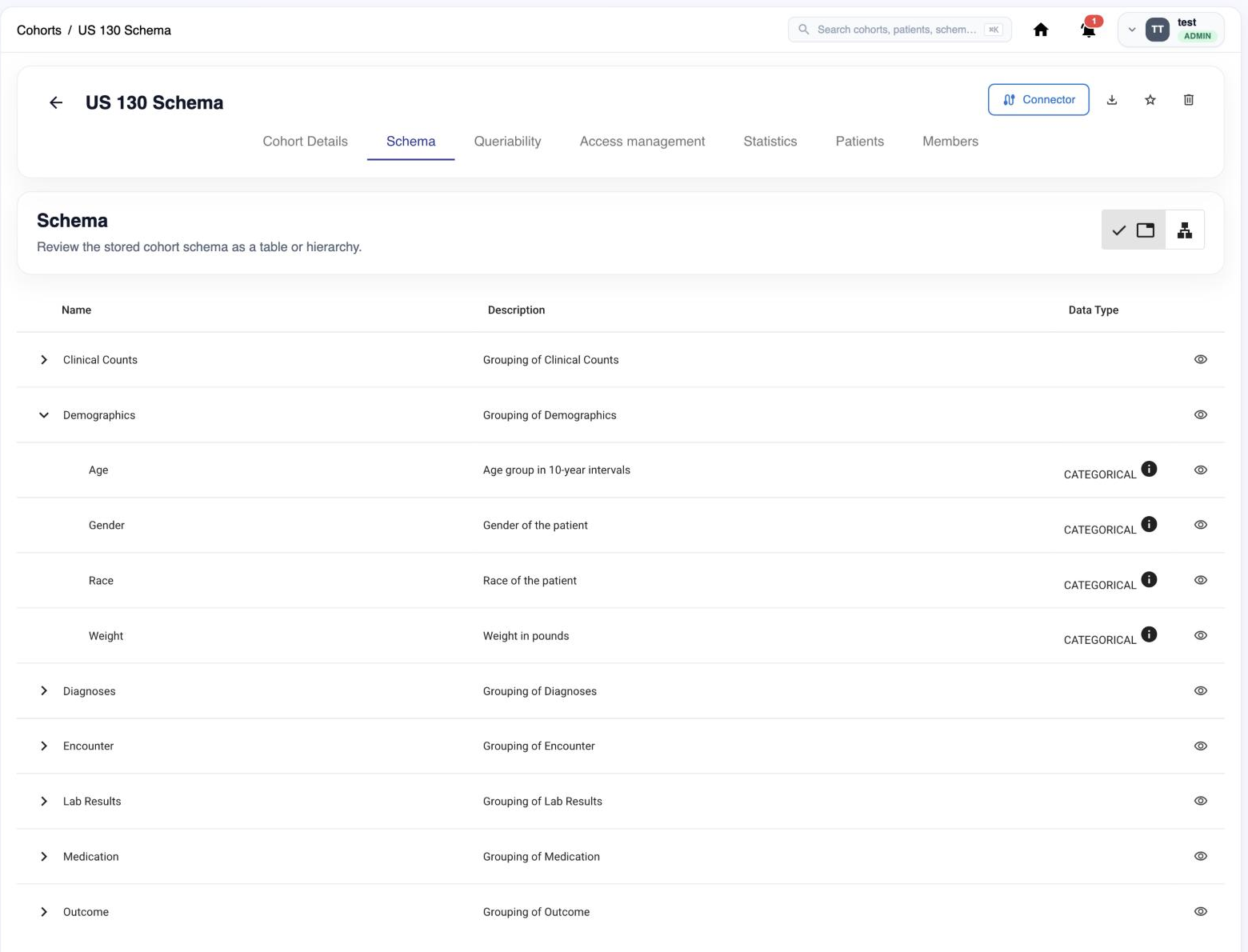
Queriability
How Platform users may use each field in queries:
| Option | Allows |
|---|---|
| Value | Conditions on the value, such as Body weight > 80. Default. |
| Existence | Only whether a value exists. |
| None | No queries on this field. |
Expand a group, set the option per field, and select Submit.
Access management
Permissions of groups and users for queries, statistics, and training on this cohort. See Access management.
Statistics
Summaries of the stored data. The tab contains:
- Data Profile: generated for every field.
- Custom statistics: charts you configure, grouped in dashboards.
Patients
All records of the cohort, identified by their External Patient ID.
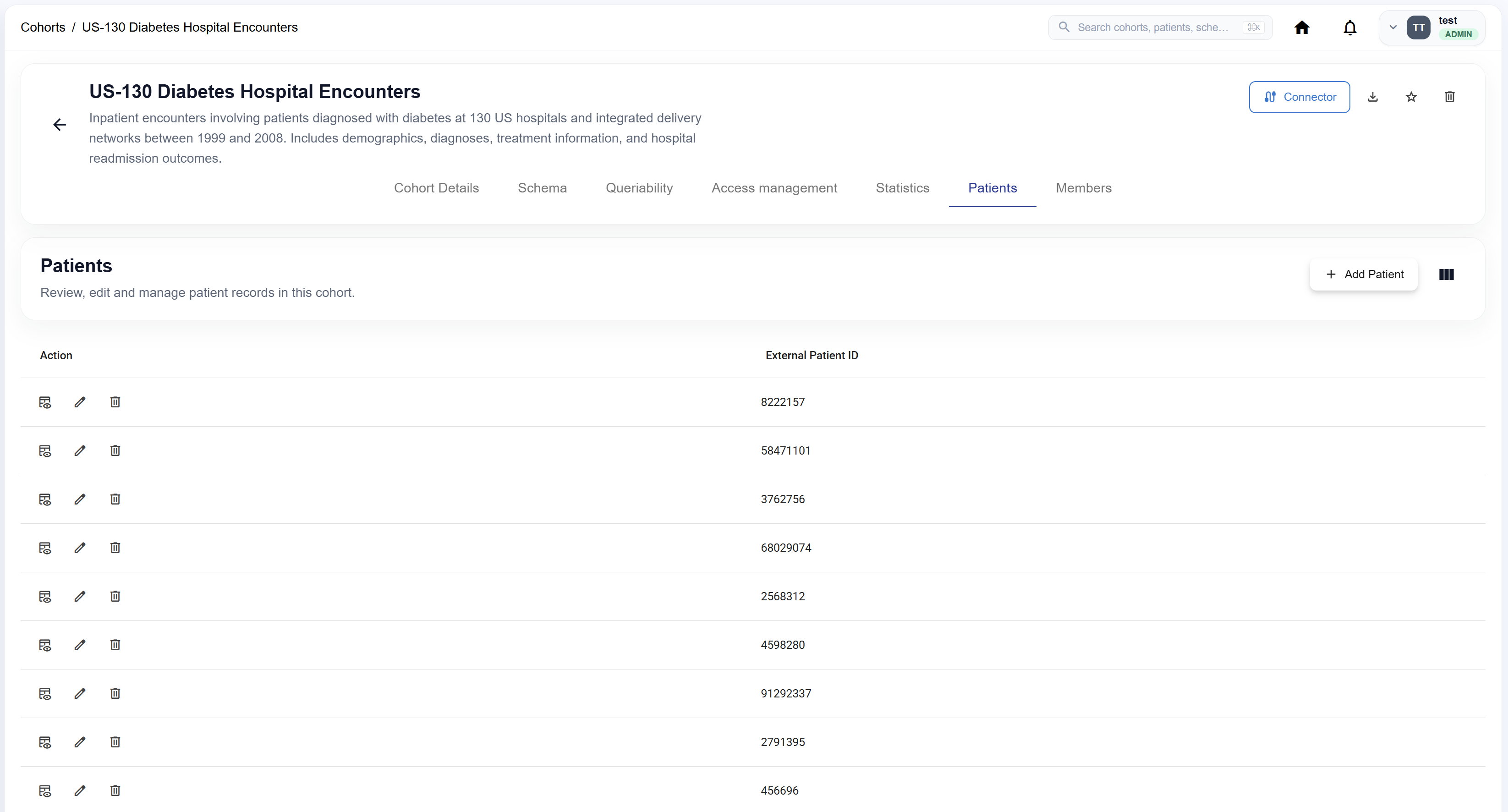
- Add Patient creates a record.
- View, edit, or delete a record from its row.
- The grid settings select the visible columns.
See Create and edit patient records manually.
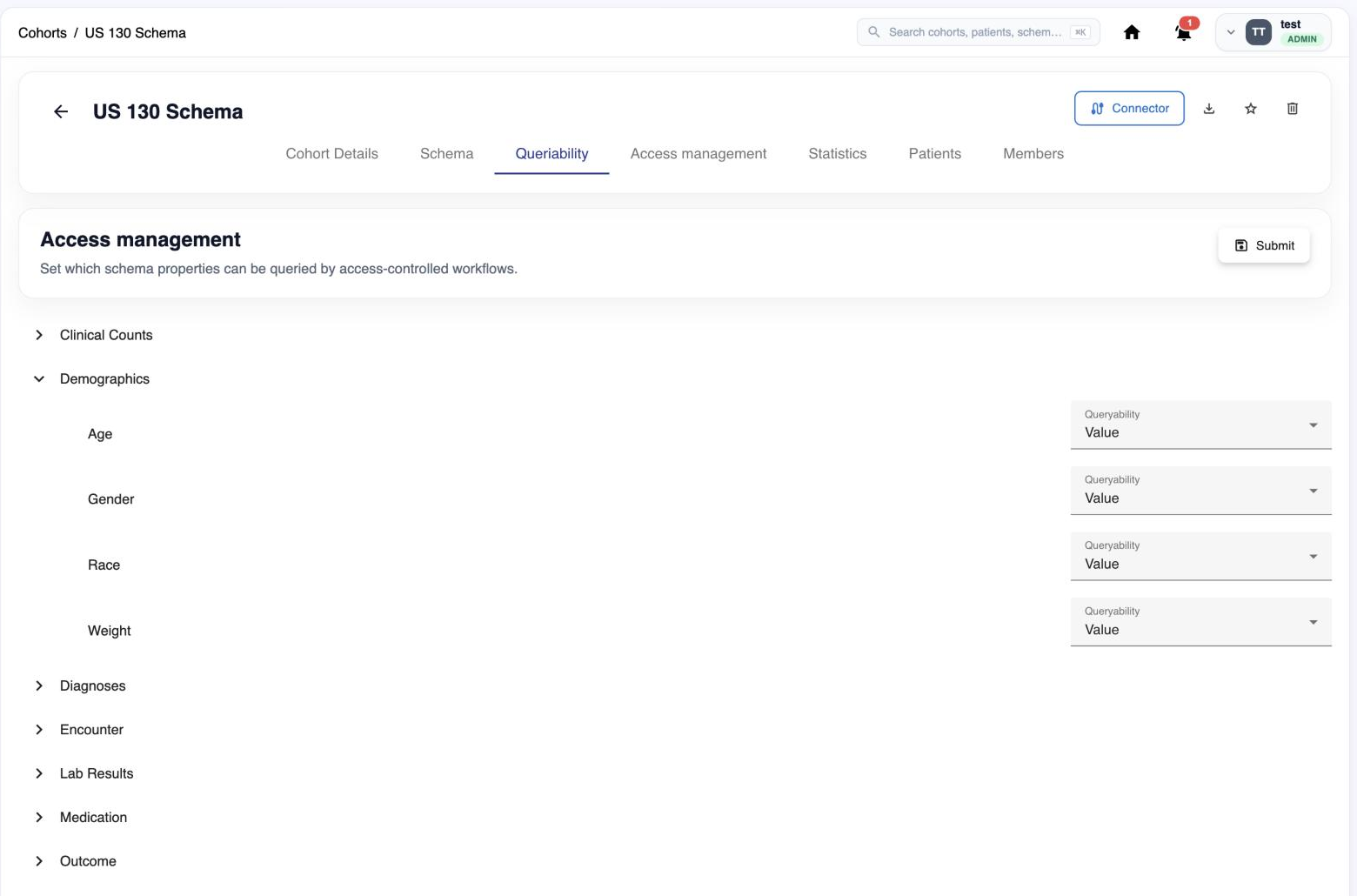
Members
Local users who maintain the cohort. Members can edit the cohort, its records, and its statistics dashboards. The cohort's creator is always a member.
- Select the add-member icon.
- Search for a User and keep the Type MAINTAINER.
- Select Add Member.