Logs
The Logs page records changes to local data and every access to it from the network. Use it to audit who did what on your Client and to investigate issues.
Open Governance → Logs to view the logs. The logs are organized into tabs:
| Tab | What it records |
|---|---|
| Patient Update | Changes to patient records made by connector runs. |
| Query Access | Patients accessed by federated queries. |
| Training Access | Patients used by federated learning trainings. |
| Statistics Access | Statistics requests received by the Client and their status. |
Patient Update
Each entry on the Patient Update tab represents a change to one patient record.
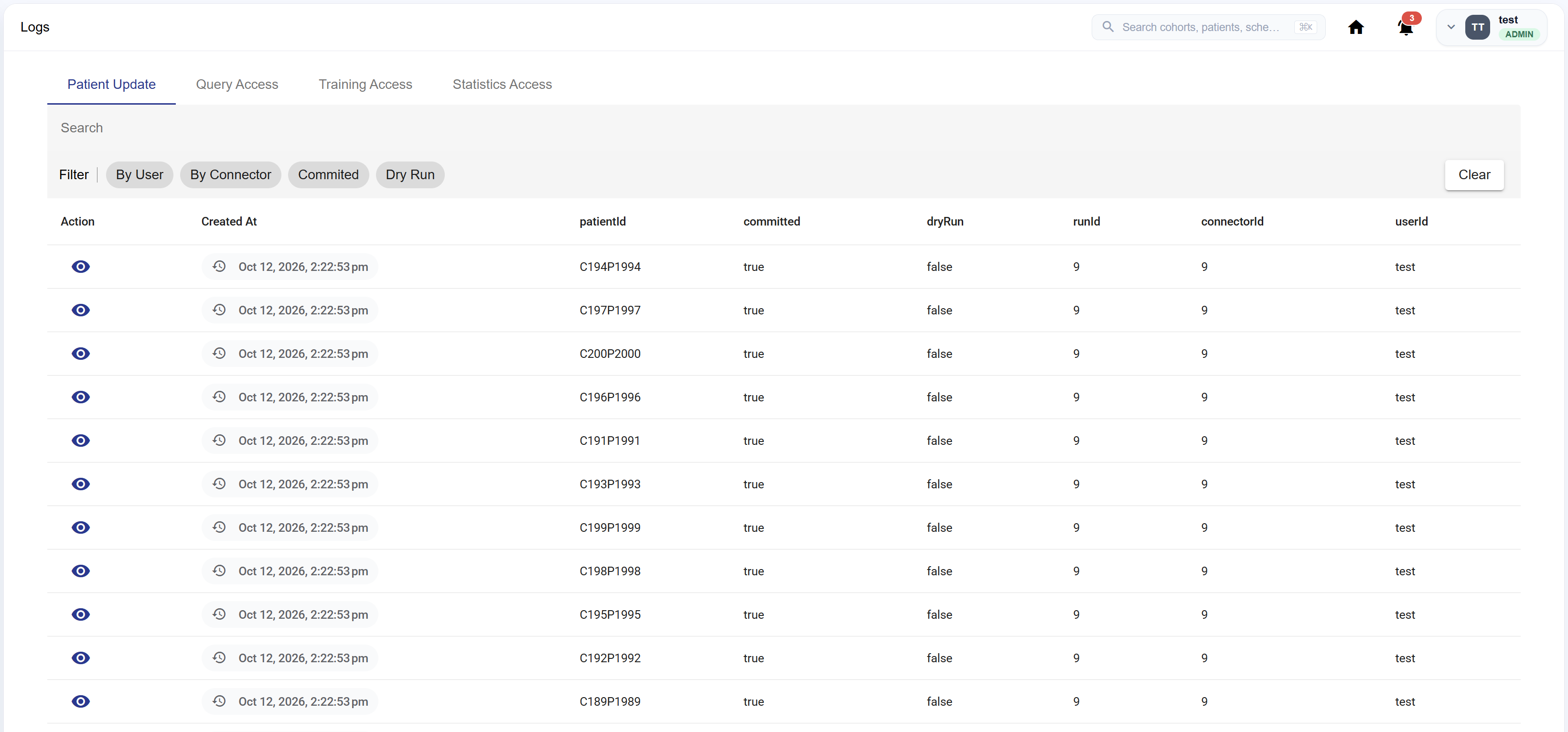
| Column | Description |
|---|---|
| Created At | The date and time of the change. |
| patientId | The identifier of the affected patient. |
| committed | Whether the change was saved to the cohort. |
| dryRun | Whether the change was made by a dry run, which runs a connector without applying changes to the cohort. |
| runId | The connector run that made the change. |
| connectorId | The connector that made the change. |
| userId | The user who started the connector run. |
Query Access
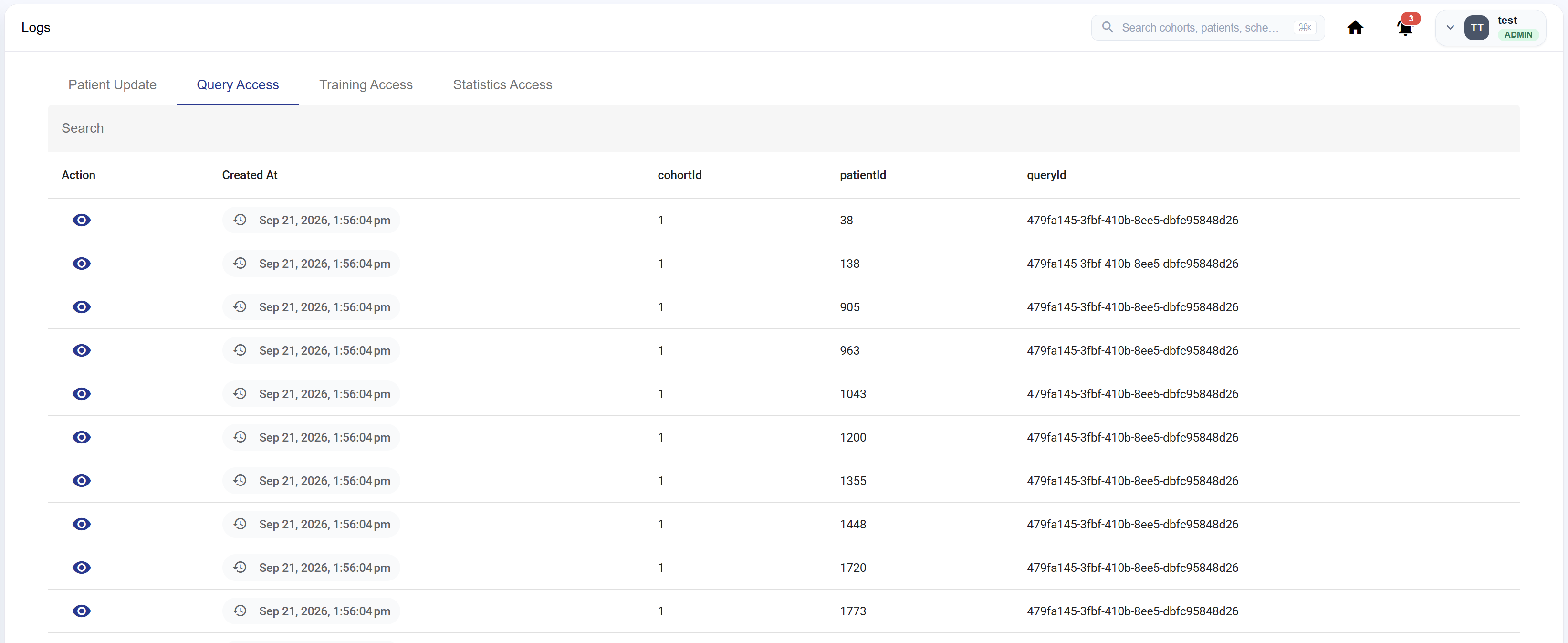
Each entry on the Query Access tab represents one patient accessed by a federated query. A single query therefore creates one entry for every matching patient.
Training Access
Each entry on the Training Access tab represents one patient used by a federated learning training.
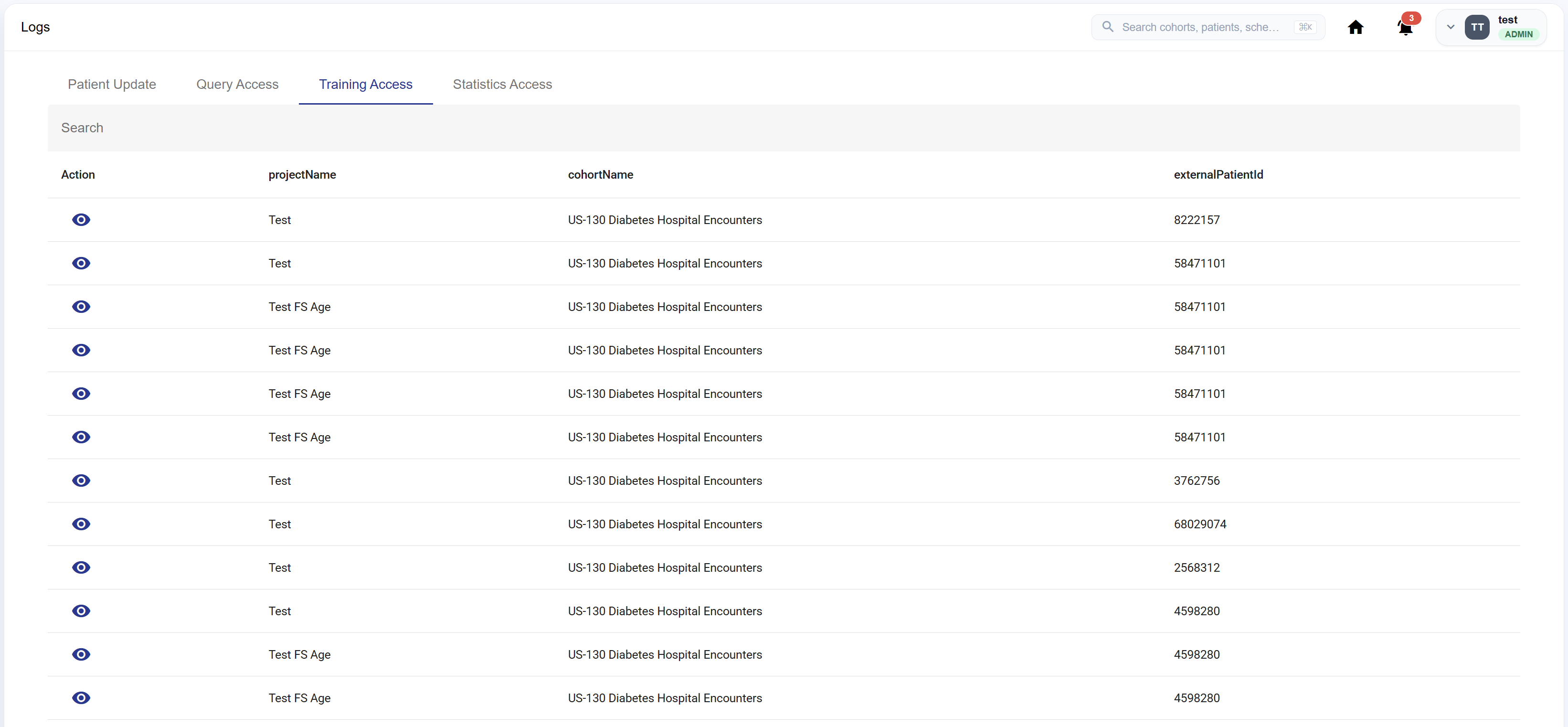
To review the training itself, select the eye icon of an entry, or open the training in Trainings.
Statistics Access
Each entry on the Statistics Access tab represents one statistics request. Filter the list by status: Pending, Approved, Rejected, Running, or Completed.
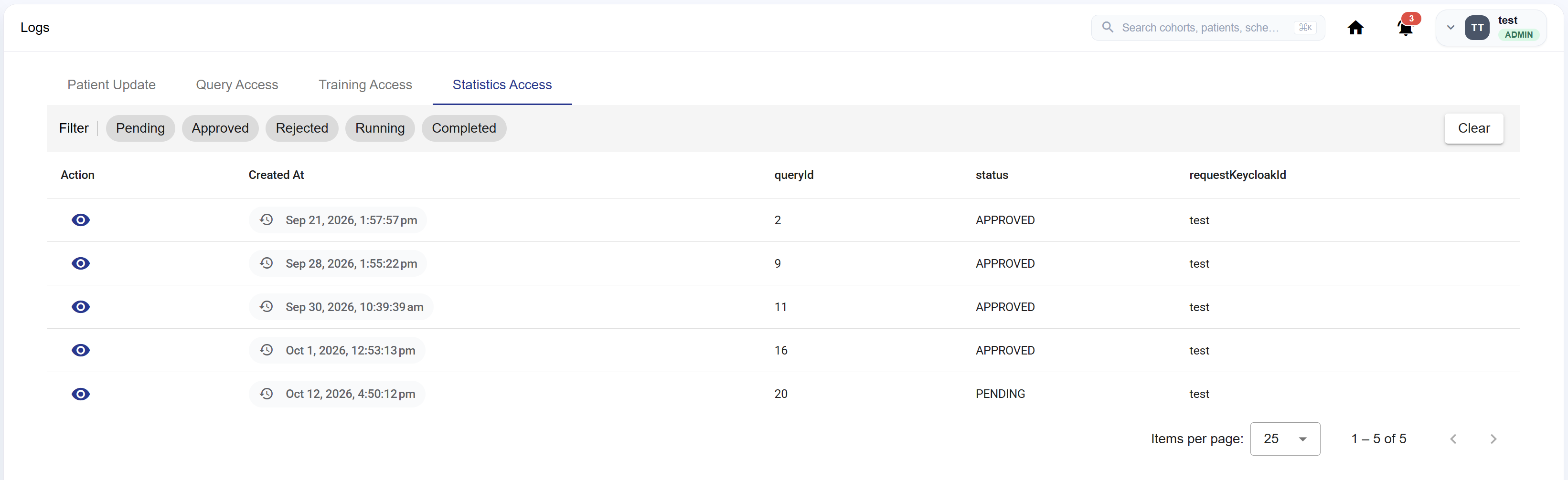
To accept or reject a pending request, open it in Statistics requests.