Walkthrough: Create a Query on the Global Server
A Query defines which cohort data should be counted or inspected across connected clinic nodes. In FLNet, queries are created on the global frontend. They are then evaluated by participating local clinic nodes according to their local permissions, cohort schemas, and privacy settings.
A query does not directly access raw patient data on the global server. Instead, it describes a reusable condition over schema-defined fields. Each local clinic evaluates the query locally and returns only privacy-filtered aggregate results.
Typical query examples are:
- “How many patients have an age value?”
- “How many patients have a value greater than 300 for a selected numeric field?”
- “How many patients match condition A and condition B?”
- “Which clinics can provide statistics for patients matching this query?”
Queries are useful before starting federated analysis or training because they help estimate whether enough data exists across clinics without exposing raw patient-level records.
Concepts
Before creating a query, it is useful to understand how queries are represented in FL-Net.
| Concept | Meaning |
|---|---|
| Query | A reusable global definition of a condition over one or more schema fields |
| Ontology node | The biomedical concept being queried, for example age, diagnosis, medication, or a laboratory value |
| Datatype node | The technical value type and allowed operators for the selected concept, for example number, text, boolean, or categorical |
| Operator | The condition applied to the selected field, for example Exists, >, >=, Equal, or Contains |
| Query result | A privacy-filtered aggregate count returned by local clinic nodes |
| Statistics request | A request for aggregated property profiles from clinics for the cohort subset matching the query |
A query is therefore not written against local database columns directly. It is written against the shared semantic schema. This allows different clinics to use different local source systems while still answering the same global query consistently.
Privacy Model for Queries and Statistics
Queries and statistics are privacy-sensitive because even aggregate counts can leak information if they are too exact, too small, or repeatedly requested.
FL-Net therefore applies local privacy protection before query and statistics results leave a clinic node. The global server receives only modified, privacy-filtered results.
Query Count Privacy
For query counts, the local clinic modifies counts before returning them.
The default behavior is:
| Rule | Effect |
|---|---|
| Count below the minimum threshold | Returned as 0 |
| Count above the threshold | Rounded upward |
| Configurable minimum count | The clinic can define the minimum count locally |
| Local enforcement | The privacy check is applied inside the local clinic node before a result is returned |
By default, the minimum query count is 100. This means that if a query matches fewer than 100 patients at a clinic,
the result is returned as 0.
Counts above the threshold are rounded upward. For example, a count such as 123 may be returned as 130 or 200,
depending on the configured rounding policy and magnitude of the value.
This protects against small-group disclosure and reduces the precision of returned counts.
Statistics Privacy
Statistics responses are also sanitized locally before they are returned.
The default statistics privacy behavior includes:
| Rule | Default behavior |
|---|---|
| Minimum subjects | Statistics are suppressed if the matching patient group is too small |
| Count rounding | Counts are rounded upward |
| Unique-value rounding | Unique-value counts are rounded upward |
| Minimum category count | Rare categories are removed |
| Numeric precision | Numeric values are rounded, for example to one decimal place |
| Extreme values | Minimum and maximum values are removed by default |
| Local identifiers | Cohort and patient IDs are removed by default |
This means that statistics are intended for cohort-level and cross-clinic comparison, not for reconstructing individual patient records.
Why This Uses Thresholding and Rounding Instead of Differential Privacy
The current design uses deterministic privacy rules such as minimum thresholds, rounding, category suppression, and removal of extreme values rather than differential privacy.
This is intentional.
Differential privacy can be useful in many settings, but it is difficult to apply safely in an interactive federated system when users can submit repeated or related queries. If a user can query often enough, compare overlapping query results, or repeatedly request statistics with slightly changed conditions, noisy answers can still be combined to approximate the real number. Strong differential privacy would require a strict privacy budget, careful accounting across all queries, user-level controls, and limits on repeated requests.
FL-Net instead applies conservative local safeguards that are easier to reason about operationally:
- very small groups are suppressed,
- counts are rounded upward,
- rare categories are removed,
- exact extremes are removed,
- local patient identifiers are not returned,
- each clinic enforces its own policy before data leaves the local node.
This does not make aggregate querying risk-free, but it provides a practical and auditable privacy layer for exploratory cohort discovery and statistics requests.
Query and statistics results should be interpreted as privacy-filtered aggregates, not exact database counts. A result may be rounded, suppressed, or partially removed according to the local clinic privacy configuration.
Step 1 — Open the Query Workspace
Navigate to the global server frontend and log in with your global server account.
Open Find Data in the global navigation. This opens the Query workspace, where you can create, review, and manage reusable queries across connected clinics.
The query overview lists existing queries with their name, description, query string, and result.
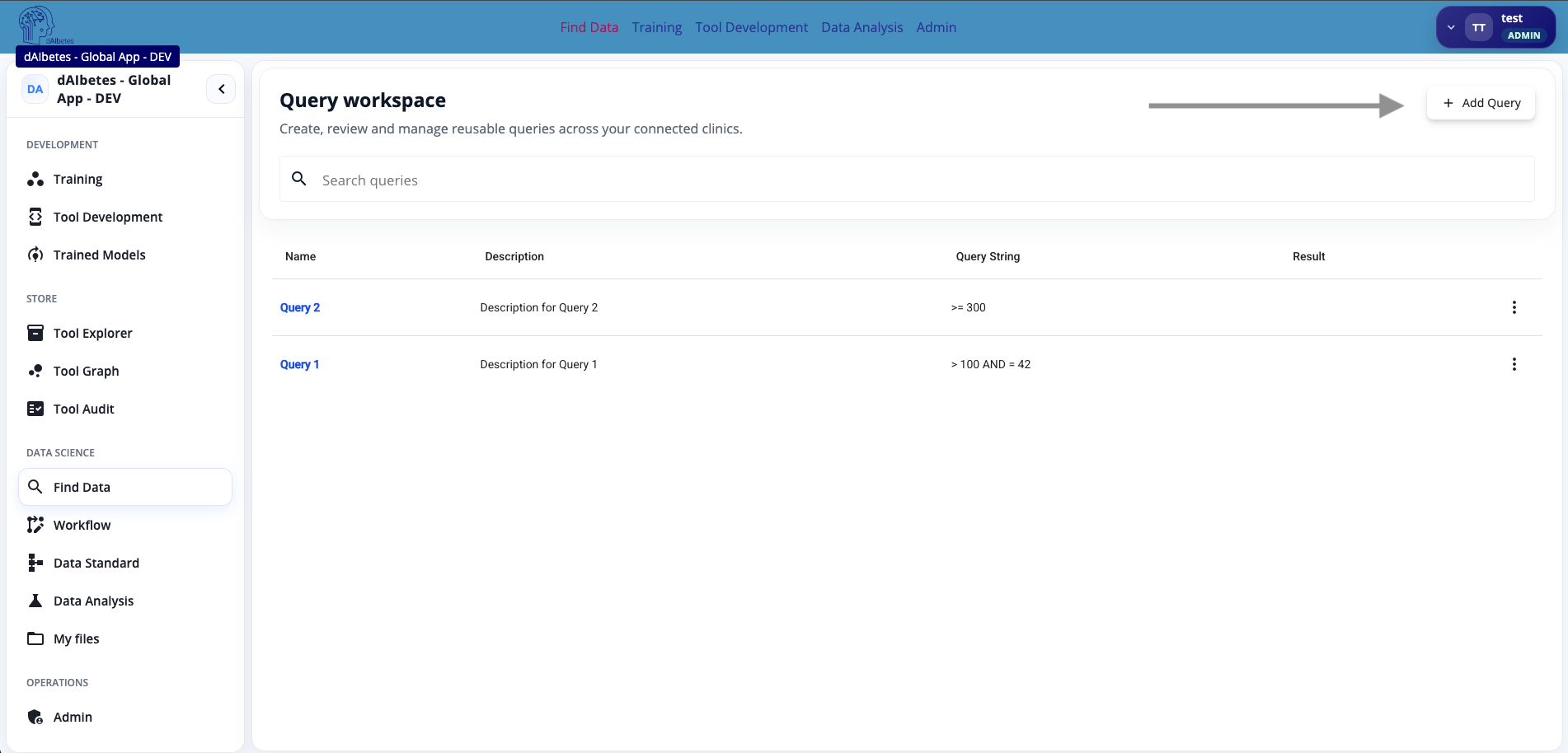
Use Add Query to create a new query.
Queries are created on the global server, but they are evaluated by local clinic nodes. The global server stores the query definition and coordinates requests; it does not directly inspect raw local patient data.
A query is a reusable semantic filter. It asks clinics for privacy-filtered aggregate information about patients matching the selected schema-based conditions.
Step 2 — Create a New Query
Click Add Query to open the query creation dialog.
Enter a name and description for the query. Then use the query builder to define the condition.
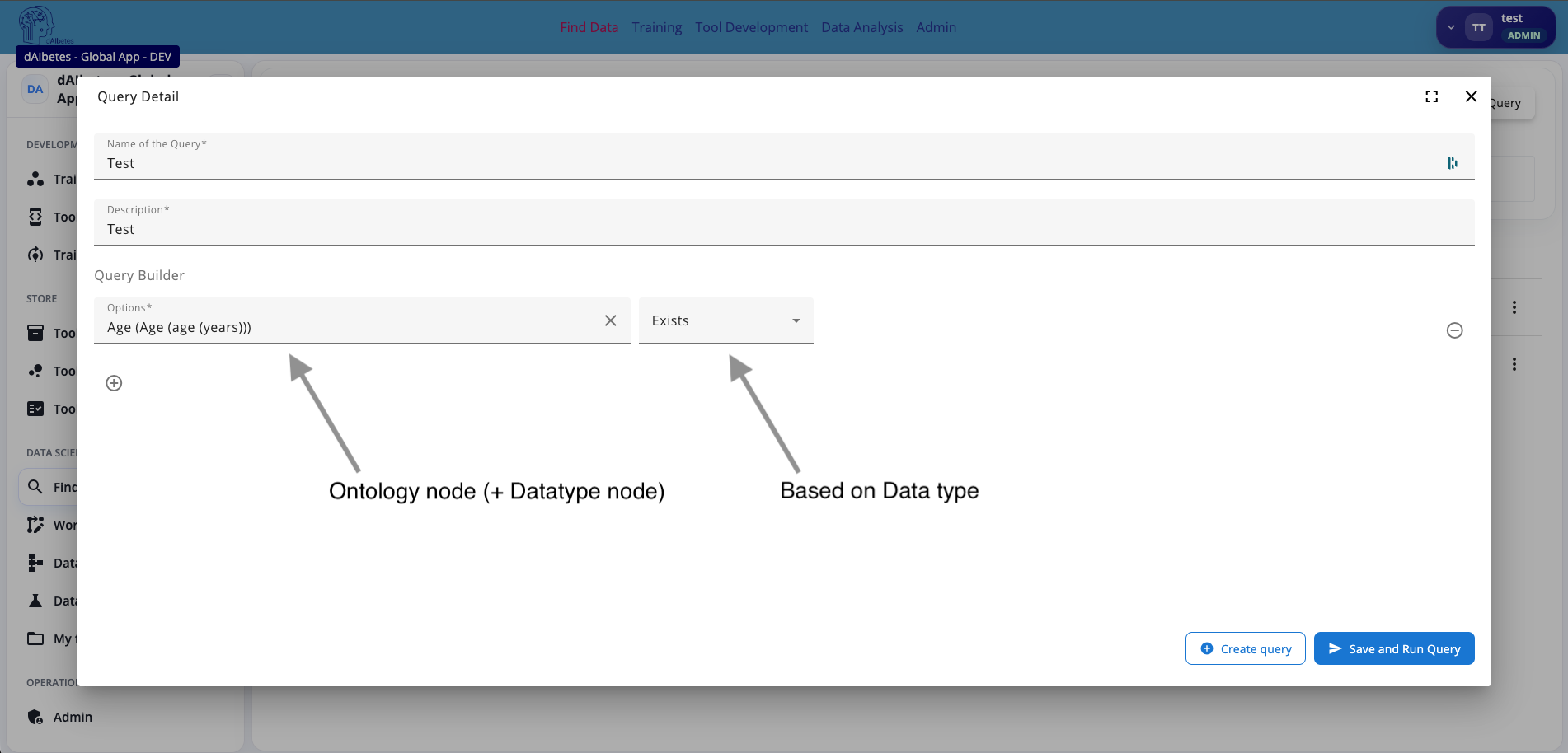
Each query condition consists of two main parts:
| Field | Description |
|---|---|
| Options | The schema field to query. This is based on an ontology node and its linked datatype node. |
| Operator | The condition applied to the selected field. The available operators depend on the datatype. |
For example, selecting an Age field and the operator Exists creates a query that counts patients for whom an age value is available.
The operator list is datatype-aware. Numeric fields may support comparison operators such as greater than or smaller than. Text fields may support operators such as contains or starts with. Boolean fields may support true/false-style checks. This prevents users from building invalid conditions for a given datatype.
You can add additional conditions with the plus button. Multiple query groups can be combined to represent more complex logic.
When the query is ready, click Create query to save it, or Save and Run Query to save and immediately execute it.
The query builder works on semantic schema fields, not raw CSV column names. This is important because each clinic may map local source columns differently, while the query still targets the same ontology-backed schema concept.
Select the clinical concept first, then select the operator. The available operators are derived from the datatype of the selected schema field.
Step 3 — Review and Run the Query
After saving the query, the query detail page opens.
The detail page shows the query overview, including the creation time, description, current result, and the query condition. In the example, the query checks whether the selected Age field exists.
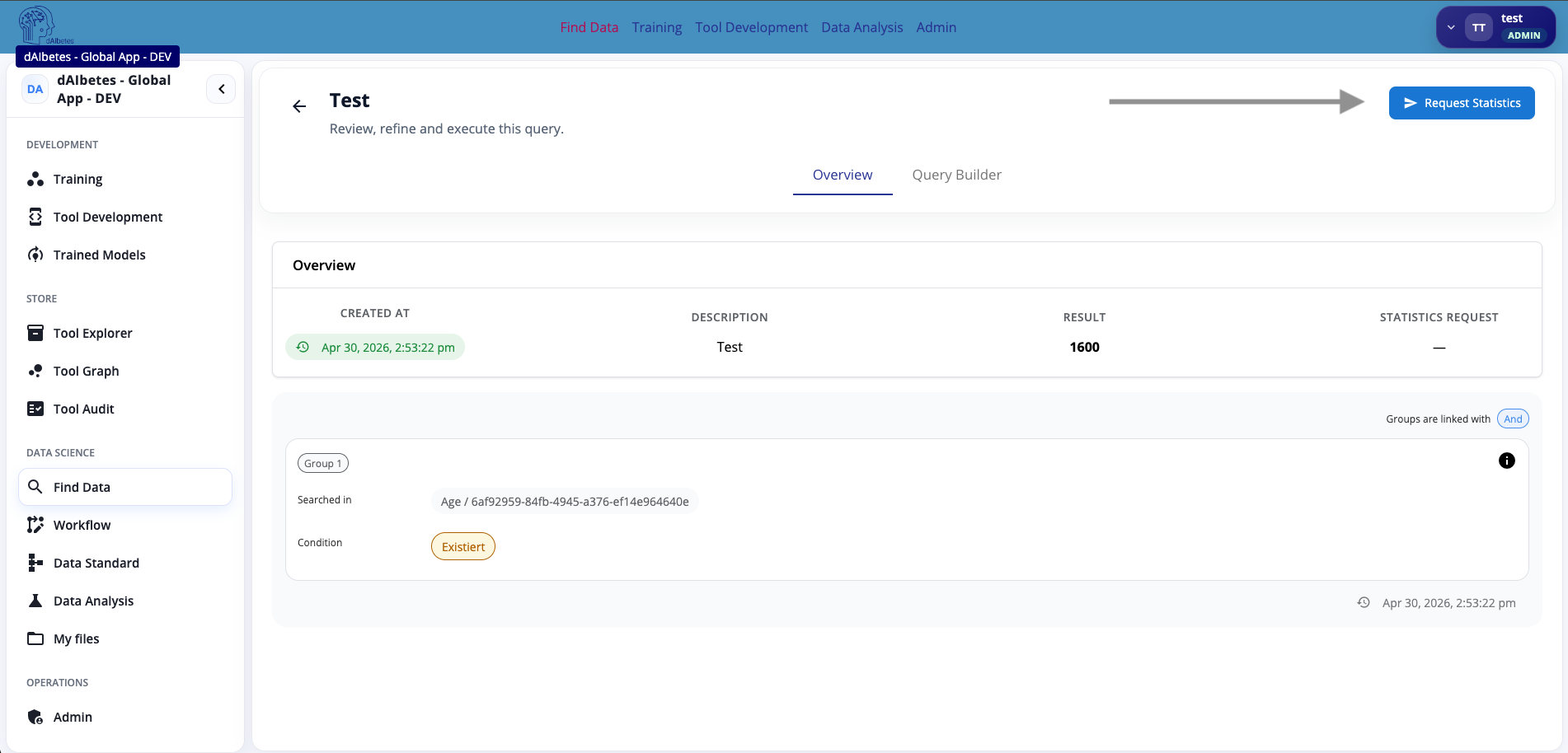
The query detail page contains multiple views:
| Tab | Purpose |
|---|---|
| Overview | Shows the saved query, current result, and condition groups |
| Query Builder | Allows reviewing or refining the query definition |
| Statistics | Shows statistics responses for the cohort subset matching the query |
Click Request Statistics when you want to ask connected clinics for aggregate statistics about the patients matching this query.
The displayed query result is a privacy-filtered aggregate. It may be rounded or suppressed by the local clinic privacy policy.
The query detail page is where you verify that the query expresses the intended clinical condition before requesting statistics or using it in later workflows.
Step 4 — Request Cross-Clinic Statistics
Click Request Statistics on the query detail page.
The statistics view initially shows that the request exists, but no clinic responses are available yet. This means the global server has created or sent the request, but the local clinic responses have not been received or processed yet.
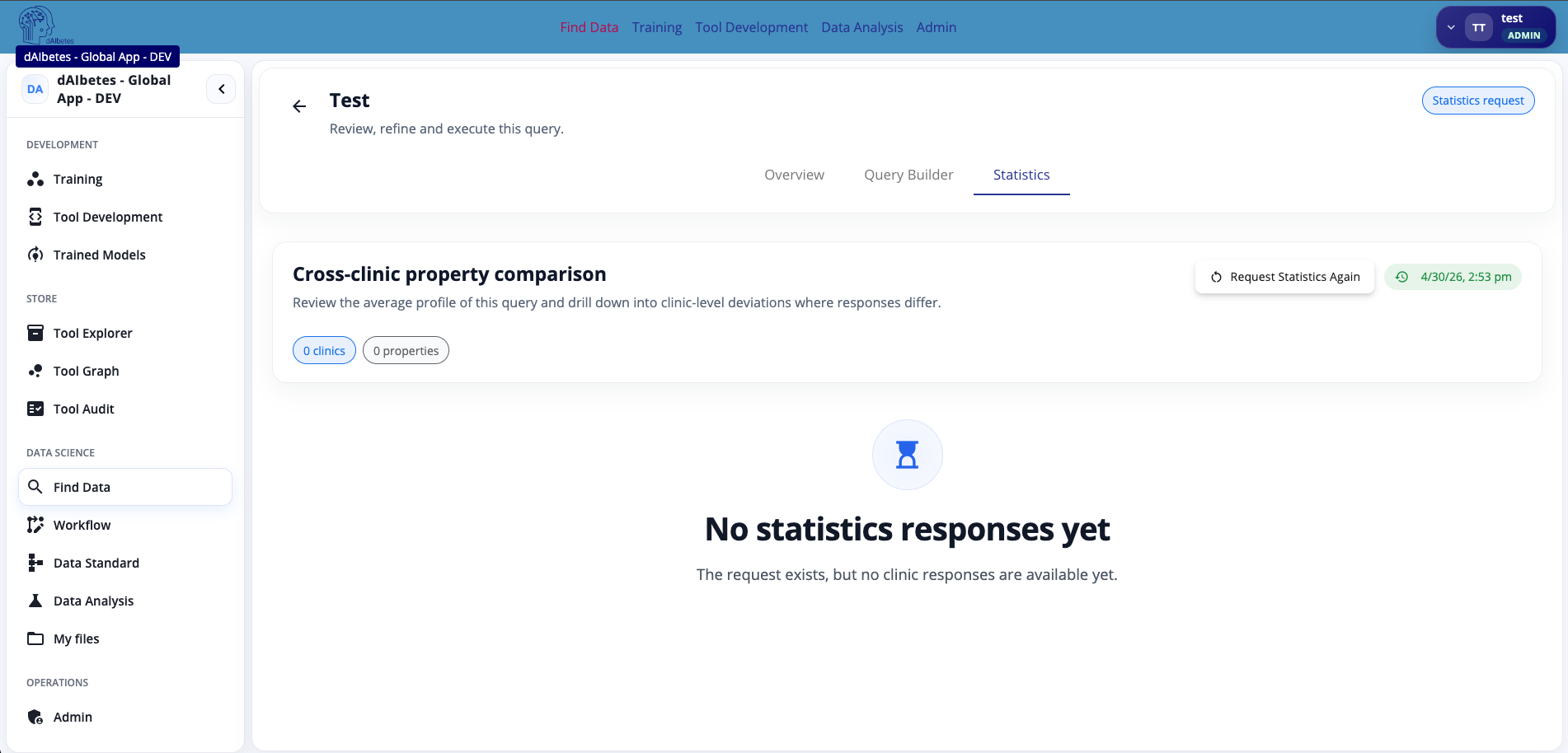
Once clinics respond, the statistics page shows a cross-clinic property comparison.
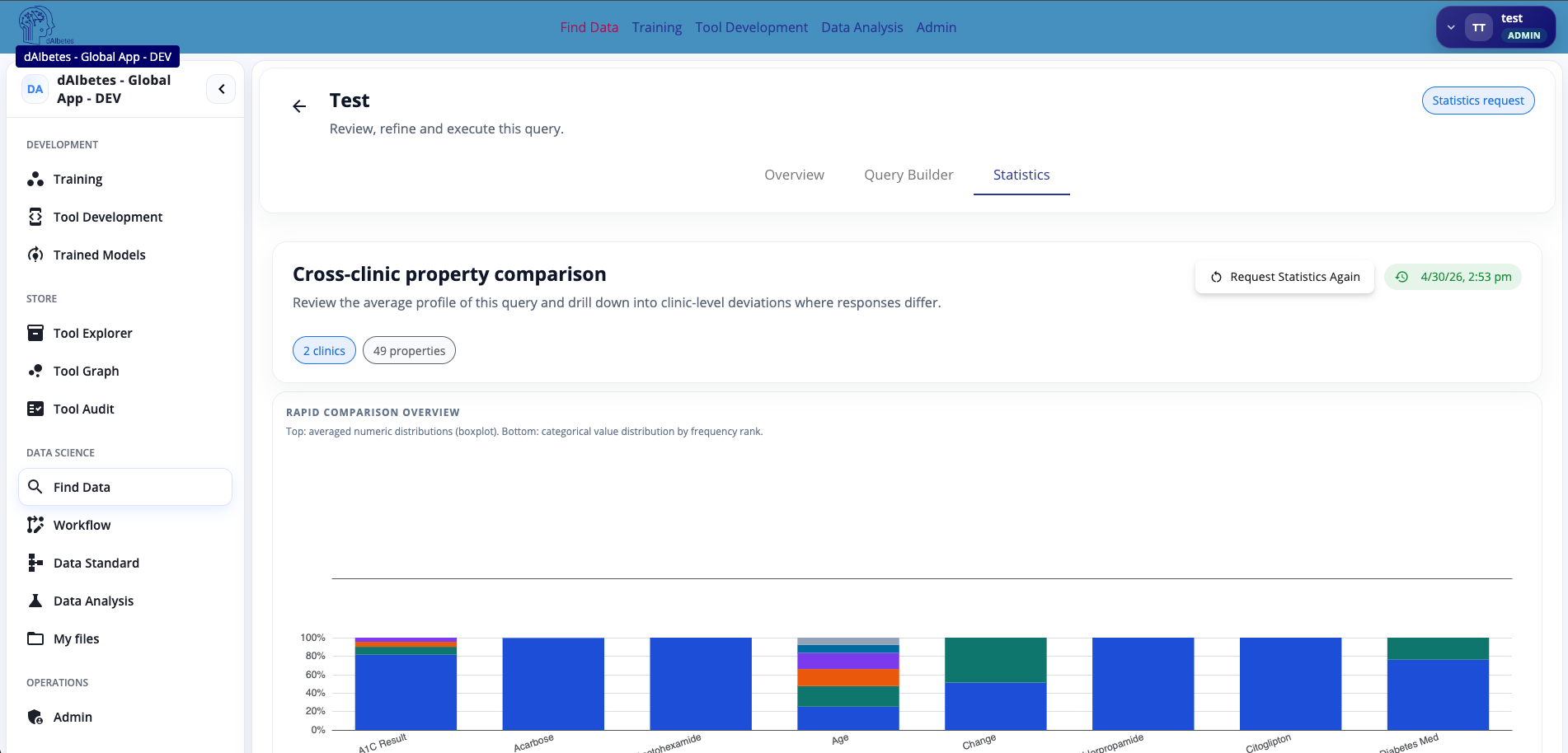
The statistics view summarizes the available aggregate profiles for the patients matching the query. It can show how many clinics responded, how many properties were returned, and a comparison of property distributions across clinics.
Use this view to understand whether the queried cohort subset is suitable for downstream analysis or federated training.
For example, you can inspect:
| Question | Why it matters |
|---|---|
| How many clinics responded? | Shows whether the query is available across multiple local nodes |
| How many properties are available? | Indicates how much schema coverage exists for the query result |
| Are distributions similar across clinics? | Helps identify data heterogeneity before federated analysis |
| Are some fields missing or sparse? | Helps decide whether the query or schema mapping needs refinement |
| Are returned values privacy-filtered? | Reminds users that statistics are approximate and sanitized |
Statistics are computed locally at each clinic and sanitized before being returned to the global server. The global server receives aggregate profiles, not raw patient tables.
Statistics responses may omit properties or categories if the matching subject count is too small. Numeric extremes may also be removed, and counts may be rounded. This is expected behavior and part of the privacy protection.
Use statistics requests to assess cohort suitability before running federated learning. They help reveal cross-clinic coverage and heterogeneity without exposing raw local data.
Summary
In this walkthrough, you created and reviewed a query on the global server.
The workflow followed these steps:
- Open the global Find Data / query workspace.
- Create a semantic query using ontology-backed schema fields.
- Review the saved query and its privacy-filtered result.
- Request cross-clinic statistics for the matching cohort subset.
- Inspect the returned aggregate statistics.
The key idea is that queries are defined globally but executed locally. Clinics evaluate the query against their own harmonized cohort data and return only privacy-filtered aggregate results. This allows FL-Net to support cohort discovery and feasibility analysis while keeping raw patient data inside the local clinic nodes.